Monday, January 05, 2015

Telling a Tale for Ten Years

Exactly ten years ago I started this ridiculous blog as a way to collaborate with other game developers. At the time I thought I would dig deep and push out at least one title. This eventually led to the "Desktop Distractions" studio concept, and the nascent title Deskblocks. I also worked within the CrystalSpace engine as an entrant to the PlaneShift team. I just couldn't give these projects traction however, so I gave it up and moved on to tinkering.

Even though the driving force behind the blog had faded away, and even though no one else reads this blog (aside from the State of .NET Integration Frameworks post), I kept updating it. Writing - even if it exists only for your own edification - really does help with communication and critical thinking regardless of what you write about. Even though my day job has nothing to do with garage door openers, my posts on my garage door security system helped me organize the build in a way that informed the Hack Clock project. Back in 2006 I began investigating vector processing, and the resulting frameworks have helped me think about and design microservice architectures. Of course, there was plenty of venting as well with my favorite software companies being dissolved or SuSE Linux winning and failing and winning and failing again. All of this writing helped me when performing comparative analysis at work, or designing parallel architectures, or watching trends in software development.

It is hard to believe a decade has slipped by. It doesn't even seem real. I don't think I've evolved much since that one cram session in a crystal chair, but I'm glad to have my collected ramblings to reflect back on.

Sunday, January 04, 2015

Your Garage as a Gas Station

I had evaluated electric vehicles previously to determine if they actually were more efficient than cars with internal combustion engines, and found that (at the time) they did have a lower carbon footprint and would save me considerable amounts on fuel costs. Of course, that was before gas prices dropped nearly 33% in a single week - however I knew the prices were being artificially deflated and would eventually push back up. An added bonus remained that I would no longer be late to work because I had to navigate out of my way and fill the tank.

I was able to take a Leaf out for an extended test drive and make sure it fit my commute - which it did. I couldn't find another auto manufacturer that actually had an EV on the lot aside from Tesla, so the Leaf was the only auto at my price point. Luckily there are many Nissan dealerships in my general area and I ended up picking a Model S Leaf that I have been driving for a few weeks now.

One great thing about an all-electric auto is that your garage is transformed into a "gas station," and you never need to leave your house to refuel. Bear in mind this does not necessarily mean you can use your normal 120V outlets to charge the car (using a Level 1 plugin-in charger) - you will at the very least need a dedicated circuit for charging, lest you blow a fuse from too much load. On my 24-hour test drive I quickly found out that the 120V outlet in the garage was on the same circuit as the master bathroom; when the car's 120V charger was powering up the battery it was consuming 11.3A of power, and a typical hairdryer will eat 12.5A. The combined 24A of load will trip your typical 15A circuit breaker quickly.

Ultimately a 6 kW, 240V/30A (Level 2) charger is necessary for home charging since even a dedicated 120V outlet will require 21-ish hours to go from empty to 100% charge. Normal usage often requires a 10.5 hour charge with 120V, which can easily be done in 4 hours with a Level-2 charger. The good news is that while the chargers offered through the dealership appear to be fairly expensive, Home Depot and Amazon will sell Level-2 30A chargers for under $500. If you add in the cost of an electrician adding a 40A 240V dedicated circuit, you can have a 6 kW charging station for under a thousand bucks. The daily cost per kilowatt will be the same, and while there are some who worry about peak/off-peak charging hours most residential agreements seem to bill based on volume, not based on time of day. 6 kWh at 2 AM is billed the same as 6 kWh at 2 PM.

The technology is changing rapidly. Level 2 chargers are rapidly eating from 20 amps to 30 amps to 40 amps, and Tesla is building a nationwide Level 3 charging network based on renewable energy. It's hard to say how all of this will play out... in 5 years we may have sedans with a 400 mile range... in 10 years we may have self-driving cars in metro areas... in 20 years 25% of new car sales may be EVs. Ari Jay's comparison between the Leaf and the Tesla S85 is a great example of the current state of the market - in the end both cars are great, to serve two different purposes and two different drivers. We're getting past early adoption, sliding past the peak of inflated expectations and heading towards the trough of disillusionment. Sure people are getting a bit anxious on range and worried about cost... but on the other side is mainstream adoption, and the widespread infrastructure to support electric vehicles and cross-country road trips.

Wednesday, December 31, 2014

The Gear-Headed Mentality

The old Saturn Ion that I had been driving is nearly ready to give up the ghost. After nearly a decade on the road, it is time for it to be put to pasture. Even now the car is getting 30 miles per gallon, a completely respectable rate. Still, so much of my traveling is just limited to the daily commute and running errands -
and it is time to look at something more efficient than a controlled explosion eighteen inches from my knees.

The first issue I encountered when shopping for an EV was that dealerships still seem to be getting accustomed to selling all-electric cars. Several salespeople outright refused to speak to me about the Leaf, and instead passed me off to other sales reps. I couldn't find a single salesperson who would let me drive a Ford Focus. After I pried a bit further, it seems like the more "senior" sales staff believe that EV buyers are too high maintenance - the buyers don't understand the range issues, they fear higher return rates, they get cold feet and back out of the deal. Even the sales staff that would talk to me pressed very hard for a commitment, wanting faux signatures and asking for money down prior to delivery. I spoke to lot managers about the Leaf turnover rates, since I felt they had a more accurate sense of how inventory was moving, and they seemed to think the actual return rates were much lower than the rates the sales guys were assuming. For one lot, out of 15 Leaf sales only 1 had been returned.

If you troll the EV forums you find that there is some hint of truth to the conception that potential all-electric owners are a high-maintenance bunch. Several complain that they had to wait a whole 5 minutes in a maintenance bay, others are incensed at the 87-mile range, and many aren't quite ready for the anxiety of finding a charger when they need one. If you are planning on using an EV as a secondary commuter car the stress can be much less, however an all-electric primary car can definitely give you an ulcer. Electric vehicles definitely require a cultural fit right now, which may be why there is such friction between buyers and sales people.

As odd as it might seem, Focus/Leaf/i-MiEV/Soul/i3 owners are more akin to Corvette than to Corolla owners. A happy Leaf owner frets over charging temperatures, battery chemistry, wind resistance, regen strength, residential electrical codes, LED vs. halogen amperage - and enjoys doing so. Just as a Corvette owner is worried about properly gap'ing spark plugs, an EV owner is worried about electrolyte conductivity. If you wouldn't enjoy obsessing over the winter tires of a 'Vette, you likely wouldn't like obsessing over the optimum tire pressure for maximum EV range.

In all honesty, I've never been a car guy. I know that the engine belts form a mobius strip to allow for even wear... and... there are cables? And various and sundry liquids? Not sure. However, the mechanics of an EV are much simpler to understand, which lets dullards like me become car guys because there is
so much less to know. As is entirely too apparent, I'm more than happy to obsess needlessly about the baubles of technology... and so I think I can make the shift from the mainstream "it just works" mentality to the gear-headed "how does it work" mentality. Mainstream adoption may not be there for EVs just yet, but wannabe car guys have the perfect inroad now.

Wednesday, December 17, 2014

Hack Your Alarm Clock

Kids, teens and adults are more inspired to tinker after they learn the basic framework of what they are tinkering with. Electronics and circuit sets are great, but it really helps to jump-start learning with demos or projects that are heavily documented in the box. After you get your bearings on what works and what breaks, you are more free to experiment and add your own ideas.

To that effort I'm working on a hackable alarm clock based on the Raspberry Pi platform along with several Adafruit/Sparkfun components. The idea is that we can build a customized, tricked-out bedroom alarm clock with some general off-the-shelf components to see how hardware and software work in concert to create something useful. After the project is done, I'm hoping its creators will feel inspired to rip it apart or build new features using the pieces.

I've already run these lessons with a few kids between the ages of 5 and 11, and it was pretty interesting to see what they found interesting. They all wanted to start playing music, but they celebrated being able to have whatever number they wished show up on the LED display. To simply type "77," hit "Save" and refresh the display was enough to send them clapping. They also spent a ton of time building their own enclosures out of Lego, designing the perfect case for their clock.

Right now we have made it to Lesson 6 (the AM/PM indicator), however I have only published up to Lesson 4. More are to come, and I have already found some refinements that need to be made in the previous lessons. The lessons are available at http://hackclock.deckerego.net/, the hardware project is documented on HackADay at http://hackaday.io/hacker/5116-deckerego, and the Python source code for the clock driver is posted on GitHub via https://github.com/deckerego/hack-clock. I will keep these sites updated as the project grows.

Let me know if you try out the project yourself. We are already making some fun hacks, such as using the LED display to show the answers to math problems. I'd love to hear what other people devise!

Tuesday, December 16, 2014

Out of Gas

I took a Nissan Leaf for an extended test drive today - I borrowed it last night and will return it tomorrow morning. It was definitely good to take an all-day test drive... there were a few things I didn't expect to encounter but are helpful to know.

First off: the range. I drive approximately 53 miles a day just to work and back, and I'm driving in a midwest winter. The temp wasn't terribly cold - it was above freezing - but I needed to run the defogger for most of my trek. I drove in "Eco" mode the entire time as well, and made sure to take advantage of the regenerative braking. While Nissan quotes the driving range between 75 and 84 miles, a single 26.5 mile trek ate 40% of my battery. This places my winter driving range closer to 66.25 miles, assuming a linear discharge of the battery. That ain't good, and is a full 12% less than the advertised range.

I am pretty fortunate to have EV charging stations at work, otherwise I'd be sunk within a year. Right now the plan is to use the regular 240V charger at work, and trickle-charge the battery at 120V at home. This means I need to charge for 4 hours once I arrive at work, and charge for 10.5 hours at home. Not terribly convenient, but doable. If I wasn't able to recharge at work I would definitely be sweating it on the trip back.

For a while I weighed the difference between the S and SL models (the low and high end), but I didn't find a compelling reason to move to the SL. True, the SV/SL models offer CARWINGS, however it uses an old AT&T 2G network that is scheduled to go dark by the end of 2016. There is also the navigation console and full Bluetooth support which is nice... but... meh. Overall I didn't find a compelling reason to upgrade from the base S model, other than adding the quick charge package.

The Leaf is tempting. I will definitely need to change my driving habits and will have to always be mindful of the nearest charging station; already I've petitioned work for additional EV spots. However, if I am willing to bend over backwards I believe I could make a switch to all-electric.

Tuesday, November 18, 2014

Are Electric Vehicles Really Better than Combustion for Commuters?

I have a pretty regular commute of about 50 miles a day. The wheels are about to fall off my ten year old auto, which still manages around 30 MPG given my highway driving. I'd like to swap out cars prior to abandoning it on the side of the road, so I started to wonder if now was the time to go with an all-electric car.

I've never liked the idea of hybrids. I'd rather mess with a combustion engine or an electric motor, not both. Electrical systems are crazy enough as-is without a gas-powered mobile generator strapped to it. Luckily electric vehicle prices have also come down significantly, with a base-level Nissan's Leaf going for under $22k. With that kind of price tag, I started to wonder how much better an all-electric car might be compared to a hybrid or an efficient combustion engine.

I started to measure my gas consumption and prices at the pump, and keep a running total in a Google Doc Sheet which I'm happy to share. After a month of driving, I started to calculate what the cost and the CO2 savings might be. I took current fuel costs and compared them to what an efficient combustion or hybrid car might be, then found some analogous kilowatt-hour data to draw comparisons to an electric vehicle. Here's what I found for a four-week period:

Current Car Efficient Car Electric Vehicle
Total Fuel Cost $119.52 $95.43 $40.81
Avg. Miles per Gallon 29.52 37
CO2 Created 802.59 lbs 640.65 lbs 511.62 lbs
Monthly Savings $26.25 $85.74

So an EV would reduce your fuel costs by 66%, however it would only reduce your carbon footprint by 36%. By comparison the "efficient car" reduces both fuel costs and carbon footprint by 20%. One would think that an electric vehicle would trounce a moderately efficient car in carbon dioxide production, but that doesn't appear to be the case.

Now, this is all based on an assumption that my data is sound... and maybe it should be reviewed by some more objective eyes. I'm effectively ignoring fuel transport and refinement costs (including battery production) - that's a rabbit hole I don't want to go down. I determined the CO2 output of gasoline engines using stats from U.S. Energy Information Administration and carbon output per kilowatt hour from the Environmental Protection Agency. Based on that info, I was able to determine the impact of either EV or combustion cars. This makes a few assumptions and generalizations for the different types of fuels being burned, such as ethanol mix and coal/natural gas combustion of power plants. Nissan's own "Feel Electric" Android app makes slightly different calculations than my own, using an "EPA formula" that equates one gallon of gasoline to 33.7 kilowatts per hour. It also does not add CO2 emissions from power plants into its equation. Using Nissan's formula, the savings for a week's worth of driving was slightly different than mine:


If we assume my cost calculations are correct and we add the additional engine fuel costs to a 36 month lease, how would monthly car costs compare? Let's take a look assuming $2,399 due at signing, adjusting if more is due by prorating the amount across the term of the lease:

Ford Focus Ford Focus Electric Nissan Leaf S Tesla Model S Chevy Spark Mitsubishi i-MiEV Kia Soul EV
3yr Lease $256.74 $202.00 $199.00 $890.28 No Lease Listed $216.47 ?

Note this makes a combustion car about $50 more a month than a comparable electric vehicle. The Kia is an interesting EV, unfortunately no Kia dealerships in my entire state carry one. From here we can narrow down affordable leasing options to the Focus, the Leaf S and the i-MiEV. Let's compare these three across the features I consider mandatory:

Ford Focus Nissan Leaf S Mitsubishi i-MiEV Kia Soul EV
Price $202.00 $199.00 $216.47 ?
AC Power (kW) 107 80 49 81.4
Horsepower 143.38 107.2 65.66 109.076
Battery Capacity (kWh) 23 24 16 27
Average Range (mi) 76 84 62 93
ABS Yes Yes Yes Yes
Traction Control Yes Yes Yes Yes
Bluetooth Yes Yes No Yes
Quick Charge Optional Optional Standard Standard

The i-MiEV seems a little underpowered and overpriced by comparison, however it did have several other amenities that the others lacked including more charging options. The Focus did offer considerably more power than the Leaf at a comparable price point, at the cost of average driving range. Another big difference is that the Focus has a water-cooled battery enclosure, while the Leaf's batteries are currently air cooled. This may extend the overall life of the Focus batteries, however this may not be a big issue for a 36 month lease.

The Kia Soul appears to be the stand-out performer, however it is off the list due scarce availability. I attempted to give the Focus a test drive, but after searching I found that I would need to travel 8 hours and cross three states to find one. That means the Leaf is the only one I can test drive, even though it ranked a close third by comparison.

The take away message is that the cost savings may be enough to trump a comparable combustion car by significantly lowering fuel and maintenance expenses for commuters with a predictable travel schedule. The environmental impact isn't as huge as I expected... however I'm just measuring greenhouse gasses and not contributors to smog, runoff or noise pollution. We may not have to weigh that impact however - the economics now seem to carry the day for EV's.

Sunday, August 24, 2014

DNS - The Internet's Phone Book

My earlier post about filtering Internet content for kids bringing home their school iPads may have created more questions than answers for some parents. The big confusion seems to step from what a Domain Name System (DNS) server is, and how it helps filter out objectionable content.

Let's go waaaaay back in time, back to the birth of the initial global network called ARPANET. Back in the day - and even now - you could reach a remote computer by using its numeric address. To connect to a remote computer, your machine may connect to "192.168.129.34" and send along some pretty data. Those numeric addresses could be a pain to remember however - so shortcuts were created that mapped a human-recognizable name (like "BubbaComp") to the numeric address (like "192.168.129.34"). Solutions were eventually engineered that let people share these lists... that way everyone could have this helpful list of shortcuts. This convention kept evolving as users continued to join the global network, up to today. Now when you type in "amazon.com" your computer is smart enough to look up this shortcut name and find out the numeric address is 176.32.98.166. Your computer always talks to 176.32.98.166, however you talk to your browser using https://amazon.com.

This operates just like a phone book. No one remembers people's phone numbers anymore... or at least I don't. Instead you look up a person's name in your personal address book or the big dead-tree phone book on your front stoop, then communicate using the phone number in the book. Connecting to sites over the Internet works in the very same way.

What if you didn't want your kids visiting certain sites? You could employ the same trick as you might to stop them from calling certain people over the phone - edit the phone book. If your kids can't look up a person's name and find their phone number, they can't call the person. If you edit the Internet's phone book and remove objectionable sites, your kids can't visit the objectionable site on their device of choice. That's exactly what OpenDNS allows you to do - use a phone book that only has acceptable web sites within it.

What if a kid memorizes a phone number tho? Your plan falls apart a bit in that case. DNS filtering has the same limitation - if your kids memorize the IP address of a site (or share an underground DNS server), then they can go directly to the site and bypass your sanctioned "phone book."

If your kids go to a site that has a wide variety of content (like YouTube), you can't filter out specific types of content within the site. Just like calling a party line on the phone... if you allow access to the party line, you can't control anything past the initial dial.

Hopefully that helps explain why OpenDNS is only your first line of filtering. Lemme know in the comments if I can clarify further!

Saturday, August 23, 2014

Web Filtering at Home

[Updated to include an OpenDNS how-to]

Now that iPads are standard issue for a lot of schools, a few parents have asked me how they can block inappropriate material at home. While the schools themselves filter at the network level, as soon as the student comes home the network is wide open.

In all honesty, you can't filter out 100% of all objectionable content. It's hard to have software determine if a YouTube stream is showing questionable video. However, you can audit, track and block some obviously adult sites. The traditional options to perform web filtering include:
  • Software applications or parental controls on the device itself
  • Filtering devices on the router or wireless access point
  • External Internet services that block DNS requests

Software applications give you the most control on a per-device level and can block errant applications as well (like anti-virus software), however you have to install them on each and every device. They also have the benefit of blocking things no matter what network they are attached to. They usually require a medium-level effort to circumvent, and it is sometimes hard to get a report on what the actual activity has been or if any sites had to be blocked.

Filtering devices provide filtering for the entire network and do not rely on software to be installed on the device, which is nice. This solution is the hardest to circumvent, so long as you properly lock down your wireless access point. This solution cares less about applications however, and can’t really tell how appropriate actual content on a site is. It also only controls those devices on your network, and often doesn’t have fine-grained controls.

External Internet services filter your entire network, just like a filtering device would, however it is hosted out on the Internet rather than being something installed or managed inside your house. This option often doesn’t give you much (if any) per-device controls, however they often do a great job of letting you pick what and how many sites to filter out. These solutions often provide reporting as well, letting you see what was viewed by devices on the network. This solution also can’t tell you about the actual content on the site, but just the URL that was visited. This solution is the easiest to circumvent, although this can be mitigated by locking users out of the administrative settings of a device (e.g. not letting users change network settings on an iPad).

What I chose for the house was an external Internet service via OpenDNS. This was easy to set up since I just had to create an account and make a few minor tweaks to our wireless access point, and it gives me some nice reporting on what was blocked. For example, lately I saw a lot of adult sites being blocked and found an iOS application was loading them in the background.

OpenDNS has a Getting Started Guide on their site, but here's an abbreviated version of the steps for setting up OpenDNS on your home network:
  1. First, load up the settings console for your wireless router. Check your user guide for how to do this - usually it involves loading up a web page at http://192.168.1.1 and entering a username and password.
  2. Next, find the "Internet" or "WAN" settings page within your wireless router. This is in your router's user guide as well. It may look something like:
  3. Change the DNS Servers from the automatic settings to the values "208.67.222.222" and "208.67.220.220"
  4. Click on "Apply" or "Save" or whatever floats your router's boat.
  5. Create a new account at http://www.opendns.com/
  6. Part of your account creation process will be linking your local network to your OpenDNS account. Once your local network joins OpenDNS, it will begin monitoring what sites are requested.
  7. After you create your account, you will be taken to the OpenDNS dashboard. At that point you can decide how much filtering you want to apply to your network - from sites that are obviously adult-only to sites that are adult in theme (fashion magazines, for example).

I'll post a subsequent entry on what OpenDNS actually does in hopes of helping explain why this kind of filtering is useful and its limitations. While this might seem like rocket surgery at first, hopefully this helps you learn how to be a steward of your Internet connection... just like you have to monitor & maintain your sump pump before the basement floods.

Sunday, June 22, 2014

A Drift Into Failure

I'm still working towards catching up on my Christmas ready. I already wrote my missives on Thinking in Systems and A Pattern Language; next up is the DevOps favorite Drift into Failure.

The basic premise of Drift is that failures, even massive ones, don't (usually) happen because of a vast conspiracy or from the deeds of evil people. Massive failures occur from behavior that is considered completely normal, even accepted, as part of a daily routine. These routines give our perspectives tunnel vision and often don't allow us to see the underlying issue. Production goals, scarce resources and pressure on performance causes drift in these routines that slowly erode safe practices.

Fatal aircraft crashes and space shuttle disasters are often quoted in the book, however every operations or software engineer in IT has seen this play out a gazillion times before. The site goes down on a regular basis... and no one knows quite why. After digging and pushing new code and re-pushing bug fixes for many sleepless nights, one often finds out that the outage was due to a routine maintenance task gone awry. Maybe a query optimization cache was manually flushed within the production RDBMS, causing the entire cluster to freak out and create a bad query plan. It seemed perfectly sane at the time and even if every single person knew this was going to happen the day before, it likely wouldn't have been caught.

Drift points out how remediation and "root cause" reporting is often fruitless. The concept of high-reliability organizations was pushed in the 1980's as an entire school of thought, focused on errors and incidents as the basic units of failure. Dekker demonstrates that "the past is no good basis for sustaining a belief in future safety," and such a focus on root-cause analysis often does not prevent future incidents. The traditional "Swiss Cheese Model" for determining cause has attempted to see where all of the holes within established safety procedures line up, so as to create a long gap through which problems can drive themselves through. This type of reductionist thinking where atomic failures create linear consequences has turned out not to be predictive after all - instead we need to look at things through the lens of probability.

One of the best practices that anyone, including those supporting enterprise software, can encourage to avoid failure is to be skeptical during the quiet times and always invite in a wide range of viewpoints and opinions. Overconfidence can be your downfall, and dissent is always a healthy way to get new perspective. Dekker quotes Managing the Unexpected to point out that "success... breeds overconfidence in the adequacy of current practices and reduces the acceptance of opposing points of view." Those that were not technically qualified to make decisions often were the ones that made them, or outside pressures (event subtle ones) caused trade-offs in accepted practices. Redundancies that were supposed to make things highly available often make systems more complicated and, in turn, actually make them more likely to fail.

The best way to avoid a drift into failure is to invite outside opinion, even bring in disparate practice groups. Take minority opinions seriously. Don't distill everything to a slideshow. Be wary of adding redundancies and failsafes - often the most simple solution will be the most reliable. The recent re-invigoration in microservices is a great example of this - by simplifying the pieces of a complex system, we can allow each component to work in isolation and ignore the remainder of the system. This allows the system to grow, adapt and evolve without support systems usually provided for monolithic software stacks.

Drifting into failure occurs when an organization can't adapt to an increasingly complex environment. Never settle, always embrace diversity and keep exploring new ways to evolve. A great quote from Dekker is "if you stop exploring, however, and just keep exploiting [by only taking advantage of what you already know], you might miss out on something much better, and your system may become brittle, or less adaptive."

Sunday, March 23, 2014

An Expensive Failure of Judgement

So remember when I precariously perched a moderately encased rangefinder above my sump pump well? It was kinda wedged in between the cover and the well wall, and I thought there wasn't enough play in the line leading to the rangefinder as to let it drop in. Well... all my hackery finally caught up to me and a very expensive sensor ended up taking a swim. Current remained running through it the entire time so for several hours it swam in well water, slowly accreting minerals. No amount of drying out would save it.

I wasn't going to replace it with another expensive sensor... so I went the completely opposite direction and built an unbelievably primitive water detector. Here two plates of aluminum foil were hot-glued to construction paper and the bare end of my infamous telephone wire, then isolated in electrical tape. If water bridged the two aluminum plates, a connection would be made - at least enough of a connection to be considered a "high" signal.

The other end of the two wires were sent to the NPN transistor that was originally intended to work as a UART logic inverter. Now it was a simple logic gate; once the water closed the circuit the NPN shut off the current headed to a GPIO pin. If the pin was live, no water was detected. If the pin was dead, you had a problem.


The web front-end that I created for this whole rigamarole was updated to reflect this hack, and now just reports the binary status of the water detector. I'm not thrilled with the setup, but I also wasn't too keen on the idea of plopping any more money down on a solution.

So... lesson learned. Don't dangle water sensitive components over a well of water.

I do have a need for another security camera, so this whole setup may just be ditched in favor of another Motion rig. I really dig the I2C temperature and humidity breakout board however, and I'd like to keep using it. Maybe I'll save up my allowance and get a CC3000 WiFi board and pair it up with the temp/humidity board... that would be a pretty nifty & tiny package.

Tuesday, March 11, 2014

It's a Basement, not a Swimming Pool

Second up on my paranoia list is my basement slowly filling with water. My paranoia is founded in a rich history of failed sump pumps, broken water mains and power outages. I can mitigate some of my worries by installing a backup, non-electric Venturi aspirator and a die-cast primary sump pump - however anything mechanical can break. I believe in nothing anymore.

A Raspberry Pi can help satiate most of my neurosis, including this one. Using a Honeywell HumidIcon Digital Humidity/Temperature Sensor and a Maxbotix Ultrasonic Range Finder I can monitor basement humidity, temperature and sump well levels.

My first component to integrate was the range finder. The Maxbotix LV-EZ4 can operate in one of two modes - either providing an ASCII representation of the range using RS232 serial communication or using an analog voltage. I dorked around with two possible ways of using this - feeding an analog signal through an Adafruit Trinket and have the values translated into an I2C signal. However - I had a 5v Trinket - and even with constructing voltage dividers I couldn't quite coordinate the right voltages to negotiate with the Pi. I punted and used the serial port from the LV-EZ4, however the Pi uses UART and so I had to create a logic inverter using a recycled NPN transistor. Once I inverted the signals from the range finder, the Pi was able to read the inbound ASCII representation of the range.

After I had the range finder working, I used Sparkfun's Honeywell breakout board via I2C to communicate temperature and humidity to the Pi. Both the range finder and the breakout board fit nicely on a mini breadboard, sharing voltage and ground while splitting out I2C data, clock and RS232 data feeds. Once permissions were correctly set and kernel modules loaded, things appeared to be working nicely.

I wanted to save the range finder from water splashes, or at least slow its eventual decay. I re-used the case from the SD card I purchased for the Raspberry Pi, cutting out holes for the extrusions in the range finder board. Corners were then covered in electrical tape, and the seams were covered in hot glue. No, it's not pretty. No, it may not add to the LV-EZ4's lifespan. It was at least worth a shot however, and I've added a bit of crush/drop protection.

Everything is hooked into a Raspberry Pi Model A, just to save a few bucks. For an enclosure I ripped apart an old Netgear wireless access point, which easily housed the mini breadboard and the Pi. I decided to try things out but stumbled upon an unsettling fact... there are no power outlets near the sump pump well. Undeterred, I went looking for any long length of wire and found twenty feet of RJ11 telephone cable. It had four total wires - which would be more than enough to carry voltage, ground and signal wires. I sloppily spliced the wire, soldered it onto three jumpers, attached one side to the breadboard and another to the range finder. To my surprise - it actually worked. I was able to string the range finder all the way across the room, which also made ambient humidity readings more accurate.

In much the same way as I created the Bottle application for the garage door security monitor, I created a Bottle app to host REST APIs and display the well depth, temperature and humidity as well as allow Jabber (e.g. Google Talk) clients to request the status of the well and the climate. It all is working well so far, however I still need to tweak the Honeywell I2C code to make sure the component re-samples conditions at every request. Right now it is just fetching the currently stored values.

Right now the range finder is resting atop the sump pump well and is just waiting for the upcoming rains. My eventual goal is to create a home dashboard that aggregates all sensor data from around the house: sump pump well depth, basement temperature and humidity from the Basement Monitor APIs, ground-level temperature and humidity from a Nest thermostat, garage door state and camera feeds from the Garage Security APIs and maybe even power data from an attached APC UPS. The Bottle apps would then work to expose sensor data as REST APIs, and a more powerful Play application would serve the user interface, archive historical data, provide alerts and indicate trends.

Saturday, March 01, 2014

A Systems Language

A Pattern Language is an interesting book to pick up, and that's not just a joke about the size of the volume. Its web site betrays how old the book actually is; it was published in 1977 based on research that had been ongoing for several years. It's scope is pretty large and covers everything from the layout of an office building to the composition of an entire town. Much attention is focused on how to build communities within these spaces, and a lot of research provides evidence on optimal ways of building and tearing down boundaries.

Of particular interest to me were chapters concerning self-governing workshops and offices. The book stresses that no one enjoys their work if they are a cog in a machine. Instead, "work is a form of living, with its own intrinsic rewards; any way of organizing work which is at odds with this idea, which treats work instrumentally, as a means only to other ends, is inhuman." This is a fairly strongly worded assertion that means that employees must feel empowered in order to construct meaningful product.

Just as Thinking in Patterns postulated that groups should autonomously self-organize in order to realize their greatest efficiency, A Pattern Language encourages the formation of self-governing workshops and offices of 5 to 20 workers. A chapter is dedicated to the federation of these workgroups to produce complex artifacts - such as several independent workshops working in concert to build much larger things.

A Pattern Language also encourages keeping service departments small (less than 12 members) and ensuring that they can work without having to fight red tape. This applies to many shared services departments in both government as well as public sector organizations; departments and public services don't work if they are too large as the human qualities vanish. One must fight the urge to make an "idiot-proof system," since this can cause the system to devolve to the point that only idiots will run it.

The book is largely about physical space of course, so it has many recommendations on how offices should be connected. The authors specifically studied what isolated groups within a company, and even what we might consider small physical distances amounted to big interruptions in communication. If two parts of an office are too far apart, people will not move between them as often as they need to. If they are a floor apart, they sometimes will not speak at all.

Ultimately A Pattern Language has a lot of common sense to offer up about how to build a work community, backed by a fair amount of research that bucked many trends in the 70's. It had points that should not be glossed over even now, including:
  • You spend 8 hours at work - there is no reason it should be any less of a community
  • Workplaces must not be too scattered, nor too agglomerated, but clustered in groups of 15
  • Workplaces should be decentralized, not reliant on a central hub
  • Mix manual jobs, desk jobs, craft jobs, selling, etc. within a community
  • There should always be a common piece of land (or a courtyard) within the work community which ties offices together
  • The work community is interlaced with the larger community they operate within

    Workspace efficiency and community engagement is definitely not a new practice, however we always tend to think it is. If we can remember the lessons learned thirty-seven years ago, we may be in a better place to make a better workplace today.
  • Wednesday, February 12, 2014

    Thinking in Patterns

    Cognitive Hazard by Arenamontanus
    I've finally started to look at some recommended reading that has been on my wish list for going on two years now. Two of the books, Thinking in Systems and A Pattern Language, have particularly resonated with me since they spoke directly to the practice of software engineering without mentioning it once.

    Donella Meadows has left behind quite a legacy, and has great observations on how people work within overarching systems. Systems are everywhere and are often composed of yet other systems - just as it is with how people manage their workload every day. In particular, Donella notes the traps that systems can cause which cause things to go completely awry. Let's see if we can identify any of these traps within the context of enterprise software development:
    • Policy Resistance (think of "The War on Drugs," where two sides are trying to leverage the same system)
    • Tragedy of the Commons (exhausting a shared resource)
    • Drift to Low Performance (goals are eroded because negative feedback has more resonance than positive feedback)
    • Escalation (one side is attempting to out-produce the other, without a balance in between the two sides)
    • Competitive Exclusion (success to the successful)
    • Shifting the Burden to the Intervenor (an addiction has removed a system's ability to shoulder its own burdens)
    • Rule Beating (finding loopholes)
    • Seeking the Wrong Goal

    Any of those sound familiar in your current software engineering practice? No matter if this is exhibited between the business and the engineers, or PM's and engineers, or between engineers - these are universal pratfalls.

    There are ways to influence systems and avoid the traps we often fall into. These leverage points within the system can allow you to alter behavior and encourage positive results. A tricky point remains that some of the leverage points that are easiest to alter have the smallest impact, and some of the largest impact leverage points are very difficult to manipulate. If we look at an Agile software scrum, you might identify least impactful to most these leverage points as:
    1. Numbers, Constants and Parameters. It often feels like you're changing things because you have the most control over these knobs and dials... but all too often reactions are delayed and are cushioned by buffers within the system. Sure, you can change your sprint velocity or begin estimating bugs, but those are just different views on the same result.
    2. Buffers, or the sizes of stabilizing stocks that act as reservoirs of results. A buffer may delay or even out the consequence of a change within the system. Changing buffers would be like changing from a two to a four week development sprint in Agile - you may give yourself more time to recover, but more than likely you're just delaying an inevitable fail.
    3. Failing that, you might try to alter the real, physical parts of the system and how they interact. This can happen, but they are often difficult to change and result in a game of whack-a-mole. This is more fondly called "re-arranging the chairs on the Titanic," and often is exhibited by swapping out team members but keeping the system the same.
    4. The next leverage point might be to try and change how quickly you respond to changes by reducing delays, which in turn alters how quickly the system changes. However, Donella does demonstrate that shorter reaction time can very easily result in greater volatility, and things can become so volatile that they crash. This is what Agile is meant to guard against by locking down a sprint and ensuring priorities aren't changed on a day-by-day basis.
    5. In order to get a grasp on things one may also overlook the balancing feedback loops - or safety measures - that safeguard the system in times of emergency. The excuse is generally that "the worst is unlikely to happen," however this drastically reduces one's survival range. Adaptability is important, and if you take away the ability to adapt you can crash even harder.
    6. Monitoring for reinforcing feedback loops is something that becomes crucially important. This tasks requires one to watch for runaway chain reactions, which can cause a meltdown if not kept in check. Here bad decisions and bad reactions begat even more bad decisions and bad reactions, causing a runaway system. Look for balance instead of infinite feedback loops; if you can keep pushing your tasks to the next sprint, you're only encouraging a runaway backlog of tasks.
    7. Information flows can save a system. If information is in your face and always available, it influences even small decisions. Look at the Nest thermostat or smoke detector - here are devices whose primary purpose is to give you a nonstop flow of info wherever you are. The more info you have (such as how many hours heat was pumped into your house), the more you make small alterations to find balance. This is another part of the Agile process in the form of burndowns/burnups/velocity graphs. This info is meant to be viewed and reflected upon often.
    8. Rules (incentives, punishments, constraints) often have to take place to enforce all the above points. In order to kill feedback loops, ensure emergency systems are maintained and information is shared some rules of the game have to be put into place.
    9. Self-organization, which is an odd juxtaposition of the above rule about rules, is something that Donella prizes most about not only the human condition but systems in general. Usually if you let the component pieces of a system find their role, they will find a way to work with other components in harmony. This is the proof against micro-management; the more you manage, the more you can threaten a system's success. Let developers go free within the confines of the sprint, and don't hover over them (aside from a daily standup).
    10. Find the right goals to change a system. If you focus on GDP, you will focus on gross domestic product at the exclusion of other things. Picking the right goal is tougher than it sounds - you need to know what you want first. However if you can clearly identify and communicate a measurable goal, you can have a huge amount of control over the system. Define what the business actually wants to see - and involve them in the decision making process.
    11. Change your mindset. This is effectively what EVERY project management methodology attempts to do - make you think about the same problem in a different way. If it gives you a renewed perspective, this can be helpful. However...
    12. ...ultimately you should transcend paradigms and realize no paradigms are true. This is what supposed "anti-patterns" are meant to exhibit, and it can be helpful to realize that Agile, just like Waterfall, will ultimately come and go. Just ship early, and ship often.

    Just as we have "Gang of Four" or "Enterprise Integration" patterns, the above are system patterns that can help us decompose and deal with a system. Look for the common traps that always happen - and then evaluate your leverage points to counteract them.

    Monday, December 02, 2013

    Massively Parallel Compute as a Service

    Back in the Spring of 2012, I asked several panelists at VMWorld to weigh in on vector processing with GPUs as a big data/big compute solution. The response was a resounding "not yet," as the infrastructure has not yet reached commodity level and GPU processing was greatly constrained by memory paging. It now seems like both obstacles are being removed.

    Amazon Web Services is now offering EC2 instances that offer up virtualized instances of NVIDIA's Kepler GPUs as "G2" instances. This supports H.264 encoding, OpenCL, CUDA and OpenGL toolsets which allows for more mature toolsets to build apps targeted to these vector processing instances. This kind of support allows for commodity toolchains and commodity infrastructure to allow for massively parallel processing on demand.

    Memory paging should soon be addressed by NVIDIA via CUDA 6, and should also be addressed by AMD with its upcoming Kaveri architecture. Once memory addressing is unified, the swapping of memory regions should become unnecessary and allow for memory to be addressed locally without pagination. This simplifies application development, virtualization and hardware architectures considerably.

    I believe that very soon we will see vector processing at scale garner as much attention as map/reduce clusters currently do. Massive data parsing has been commoditized, and now we have an opportunity to commoditize massive algorithmic crunching.

    Sunday, November 03, 2013

    Retrospective: The Raspberry Pi Garage Door Remote + Security System

    My rinky-dinky garage security system is now online and in operational use. I still have more tweaks to do - for example, I got rid of the metal backplane within the My Book casing that now serves as my board enclosure because it shielded my WiFi signal, killing the network connection. I'm sure I will continue to tweak the Motion configs to increase framerates and decrease sensitivity. Now that e-mail notifications are working, hopefully I can limit the spurious notifications and just notify on the bigger changes of motion over two seconds in length.

    Another measure of success is cost; if I could have purchased a ready-made setup for a marginal increase in cost, it may be better to go with a commercial platform. If the build is overkill and I could have built it with cheaper components, I should scrap this and re-build. Looking at commercial options I couldn't find anything that had both the garage door functionality and the security camera... just one or the other. Chamberlain does sell the MyQ Garage, a pretty nifty home automation product that contains a universal garage door opener and a tilt sensor that is WiFi-enabled and can be paired with a smartphone app. They also sell the MyQ Internet Connectivity Kit, which is more of an Internet-enabled garage door master controller. Neither have a security camera paired with it, but you could easily install a wireless camera separately for around $40. The MyQ solutions are $140 and $120 respectively, giving you a total build cost of $160-$180. Not bad, really.

    If you bought every part new, the build list for my lil' setup is:
    Raspberry Pi B $40
    USB Micro-B cable $2
    USB AC Adapter $5
    8GB Class10 SD Card $8
    802.11n USB dongle $9
    Parts for MOSFET switch $5
    Universal garage door opener $25
    HP HD-3100 webcam $14
    Enclosure made of random stuff $0
    Total $108

    I had most of these parts on-hand, so my actual cost was closer to $70. That means a savings of $90 over a commercial solution. I don't know of a cheaper solution than the Raspberry Pi that could handle a 1280x720 webcam feed and perform motion detection, and a $14 webcam is cheaper than Raspberry Pi's own camera expansion card.

    Of course, your time isn't free. The hours spent in construction count - so I tried to estimate how long each step took me:
    Tearing down & wiring up garage remote 1 hour
    Setting up webcam and Motion 2 hours
    Configuring OS & system administration 4 hours
    Building web interface 3 hours
    Building enclosure 2 hours

    All told maybe 12 hours of work, a quarter of which was me figuring out how to render an MJPEG stream on an HTML5 canvas. The web interface can be re-used, as are the system administration steps, so I could probably do another in four hours or so. Four hours and $70 isn't too bad for peace of mind.

    Speaking of ease of mind, I'll leave this thread with an ad for Chamberlain's MyQ Garage. I thought I was bad... but these actors have turned garage door anxiety into an existential crisis.

    Friday, November 01, 2013

    Shutting the Door; Finishing Up the Raspberry Pi Security Camera + Garage Opener Remote

    I'm going to be tinkering with this new security camera / Internet-enabled garage door opener for some time... I imagine I'll add environmental monitoring and perhaps even hook it up to the sprinkler system. Even with future expansion in mind, I needed to shield the Raspberry Pi and the remote control board from dust and stray water. The mini protoboard I would likely keep as opposed to soldering a more permanent board, since I wanted the ability to dork around with the GPIO pins that have pull-down resistors built in and possibly add additional controls.

    I had an old Western Digital My Book sitting around with a defunct hard drive, and it appeared to be nearly the right size to house the Raspberry Pi, the garage remote board and a mini breadboard. I decided to gut it and use the housing as an enclosure. I found a few motherboard standoffs in my toolbox, and uses those to keep both boards a few centimeters off of the metal backplate. The drive and controller itself I shelved.

    Once I had everything stripped apart, the garage remote was mounted on one side of the board and the Raspberry Pi was mounted on the other. It was a tight fit, but I was able to get the webcam plugged in, the mini breadboard slid in and all the wiring completed within the confines of an old My Book chassis. Using a very technical device I call a "hacksaw," I removed some of the side wall of the enclosure so I could pull out the micro-usb cable for power and bring the webcam so it can be positioned independently.

    In the end everything didn't quite fit... the garage remote is bursting out of its seam. However the general look of the device is far better than it was before. The unit is now back sitting on a shelf in the garage, quite content.

    I still have some continued tweaks to do, but I think I've now addressed the root question: "is the garage door up?"

    Thursday, October 31, 2013

    Who Moved My Barn Door?

    I really need to stop it with the "Barn Door" titles.

    So I now have wired a Raspberry Pi to a garage door remote, created a primitive web interface for it, and attempted some security and stabilization for the supporting applications. Now I am moving on to sending an e-mail with photo attachments of security events that have occurred.

    Setting up the mail server within the Ubuntu distribution was a bit of a pain. The Pi can't act as an MTA all on its own thanks to all the relay rules in place across the Interwebs, so instead I had the default exim4 installation route through GMail. I wasn't interested in installing yet another outbound mail system; I would rather leverage what comes packaged by default. I ensured I deployed an application-specific password for exim4, then followed the very helpful instructions from Debian on how to hook it all up with GMail as the outbound SMTP relay.

    The default mailutils will not send attachments over e-mail, so instead I installed mutt for a command-line mail client. I can issue e-mails via:
    echo "Motion was detected" | mutt -s "Garage Security System" -a /srv/motion/23-20131030184606-00.avi -- somedude@gmail.egg

    Once combined with Motion's External Commands, I can build scripts that e-mail off movie files as soon as they end. The mpeg4 format appears to work natively within Android, so video snippets are easy to view once they are e-mailed out.

    Now for some polish; I need to construct/find an enclosure and finish the front-end user interface.

    Wednesday, October 30, 2013

    Your Barn Door is On Display

    After I buttressed the Pi as best as I could, I constructed a simple webapp to allow users to view the security cam feed and activate the button on the garage remote. It was surprisingly straight-forward to render an MJPEG feed on an HTML5 canvas, but it took a bit more doings to expose GPIO as a minimal REST call.

    Before I could deploy the webapp a few additional packages needed to be deployed for Python to access everything:
    1. Installed python-distribute so we can use Python's easy_install
    2. Installed pip using easy_install (how meta) so we can easily install application dependencies
    3. Installed libapache2-mod-wsgi to permit Apache to act as a Python application server
    4. Cloned the GarageSecurity repository, which includes the Bottle webapp and some admin configs/scripts
    5. Installed GarageSecurity's dependencies using pip install -r pip_requirements.txt
    6. Allowed www-data to access the GPIO port using the WiringPi utility

    One big condition I held was that the webapp should not be granted root access, even if it was indirect access with a setuid script. The WiringPi utilities allow one to create GPIO devices handles that can be accessed by an unprivileged user such as www-data. By adding an entry within /etc/rc.local for the WiringPi utility the devices will be created on boot for use by a user within the gpio group. The WiringPi Python libraries then use these devices to control the GPIO pins. This took a few hours of experimentation, and a huge amount of thanks go to Sebastian Ă–sterlund's WiringPi post for helping me figure this out.

    One could use a REST framework such as WebIOPi to expose GPIO access over a REST interface, but it looked like this implementation needed privilaged access and the webapp didn't require 99% of the features that WebIOPi ships with. Instead, I leveraged Bottle to expose the WiringPi library as a REST call, which permits a client-side application to issue a remote call and active the garage door remote.

    The MJPEG stream provided by Motion for the camera was only bound to the localhost interface, however I proxied it through Apache for external exposure. Multipart MJPEG streams are not directly supported by many browsers anymore; instead it is fairly straightforward exercise to have JavaScript functions fetch the stream and then paint the images directly onto an HTML5 canvas. This surprisingly just took eight lines of JavaScript to accomplish; it took me more time to figure out how to scale the viewport and a button for mobile devices than it took to render the webcam feed.

    I know I'm definitely not early to the garage door hacking scene - there are several other projects using Arduino with mobile front-ends, some adapted to use the Raspberry Pi with relays, others with wireless interfaces and mobile webapps. I'm a bit partial to this approach because it has a fairly low part count (one resistor, one MOSFET, some wire, a mini breadboard, one universal garage door remote, a cheap webcam and a Raspberry Pi), it doesn't use relays and the web application does not require privilaged access to low-level resources.

    Feel free to check out the evolving webapp - it is now managed under GitHub at http://github.com/deckerego/GarageSecurity/. I will continue tweaking it a bit and eventually fitting it with some sort of user interface, but I also want to move along and use Motion's External Commands to e-mail me whenever it detects motion. Unfortunately HP's HD-3110 has an auto-focus that keeps kicking on and registering as a motion event, so I might dig deeper to see how to disable the feature. Of course I still need an enclosure as well... right now bare wire and board are just sitting out on a shelf. One stray squirt gun and all is lost.

    Tuesday, October 29, 2013

    Your Barn Door is Off Its Hinges

    I was a bit hasty when I said the next step in building the garage door security camera was constructing a web interface. As any good DevOps guy should know, getting the administrative portions of the host in stable shape is really the next step. I needed to deal with disk space issues, data retention, security and properly setting timezones.

    The majority of my tweakings are being recorded within GitHub's GarageSecurity admin folder until I refactor that away. This folder includes config files and modifications that reflect the steps that I took to lock things down, including:
    1. Set the timezone to be local instead of UTC
    2. Build and enforce firewall rules
    3. Ensure that Motion's HTTP Configuration endpoints are disabled
    4. Hide the webcam's MJPEG stream behind an Apache2 proxy
    5. Allow Samba/Apache2 to list the recordings on the LAN
    6. Use an NFS mount instead of local storage for recordings (instead of using a 64 GB compact flash card, use a 2 TB NAS drive
    7. Create a crontab entry to compress & archive yesterday's recordings
    8. Allow userlevel (not root) access to Raspberry Pi's GPIO pins

    The timezone issue is more a matter of personal taste. I would rather the time on the server reflect local time, since I will be looking at file timestamps quite frequently. Others may fall in love with UTC. Or Swatch Internet time. Whatever floats your boat. I did notice that tzselect does not appear to persist across reboots; instead I had to use dpkg-reconfigure tzdata.

    The primary goal was to secure access to the webcam feed and disallow unauthorized access. Since this is an Ubuntu distribution, I used the Uncomplicated Firewall to only permit traffic across HTTP and SSH ports. This would close the default webcam and control ports that could be exposed by Motion, as well as other running services. The control endpoints were not needed for my purposes, and I'd rather not assume the risk of arbitrary file access. I still wanted to have access to the MJPEG feed coming from Motion... however I wanted the ability to lock it down. In order to provide more granular security controls I proxed the 8081 webcam port from Motion behind Apache2's mod_proxy, where I could define whatever controls I liked within the Apache VirtualHost. Likewise I allowed authenticated users to view the list of recordings using Apache's directory index module so that archived images and recordings could be easily accessed.

    Once Motion was appropriately locked down, I moved on to dealing with file storage and archival. Instead of writing to the local SD card, I decided to make an NFS4 mount to a NAS server on the LAN. The amount of file I/O could easily be delt with over 802.11n, and the SAN could also assume the duties of archiving/compressing the files on a daily basis. This keeps the number of files on the mount much lower, allows for greater storage and doesn't wear out the SD card nearly as much. One catch was that the mount was occurring over a wireless interface, so an attempt to mount the filesystem too early would cause the boot process to lock up. I worked around this by using the mount options soft,bg,timeo=14,intr to decrease the operation timeout and allow for retries in the background. By the time the boot processes is complete, a retry operation should be able to successfully mount the drive.

    The final security point is one that will be of much greater use once the web interface is written. The RPi.GPIO libraries write to /dev/mem, which means they need root access to work. Rather than grant scripts root access to /dev/mem (which is horrible practice), I enlisted the help of Gordon Henderson's WiringPi project. There are two parts to this implementation: one is the GPIO utility that helps create userspace devices for GPIO control, and the other is the Python library that can access these devices. I created an entry in rc.local that creates a device for GPIO17 in output mode that is accessible by www-data, which in turn can be accessed within a Python script running as the www-data user.

    The security is definitely not exhaustive, but it's a solid start to get things rolling. From here I should be able to deploy a web application that exists as the sole entry point for the garage security system, and access controls can be entirely managed through Apache. A rogue user should hopefully be contained within the scope of the www-data user.

    Friday, October 25, 2013

    Your Barn Door is Closed

    I added the security camera functionality to the Raspberry Pi I've been working on, using an inexpensive HP Webcam HD-3110 and the Motion subsystem. Both worked out of the box using the Raspberry Pi and the default (but upgraded to latest) NOOBS installation. Neither had an issue, and I was up and running with a security camera quickly. Another nice thing about Motion is that it exposes several external commands as a means to provide API exposure... so I can integrate a web application or send an e-mail at the start of an event. It would be great to send an e-mail whenever motion is detected, and send the video or photos related to the event.

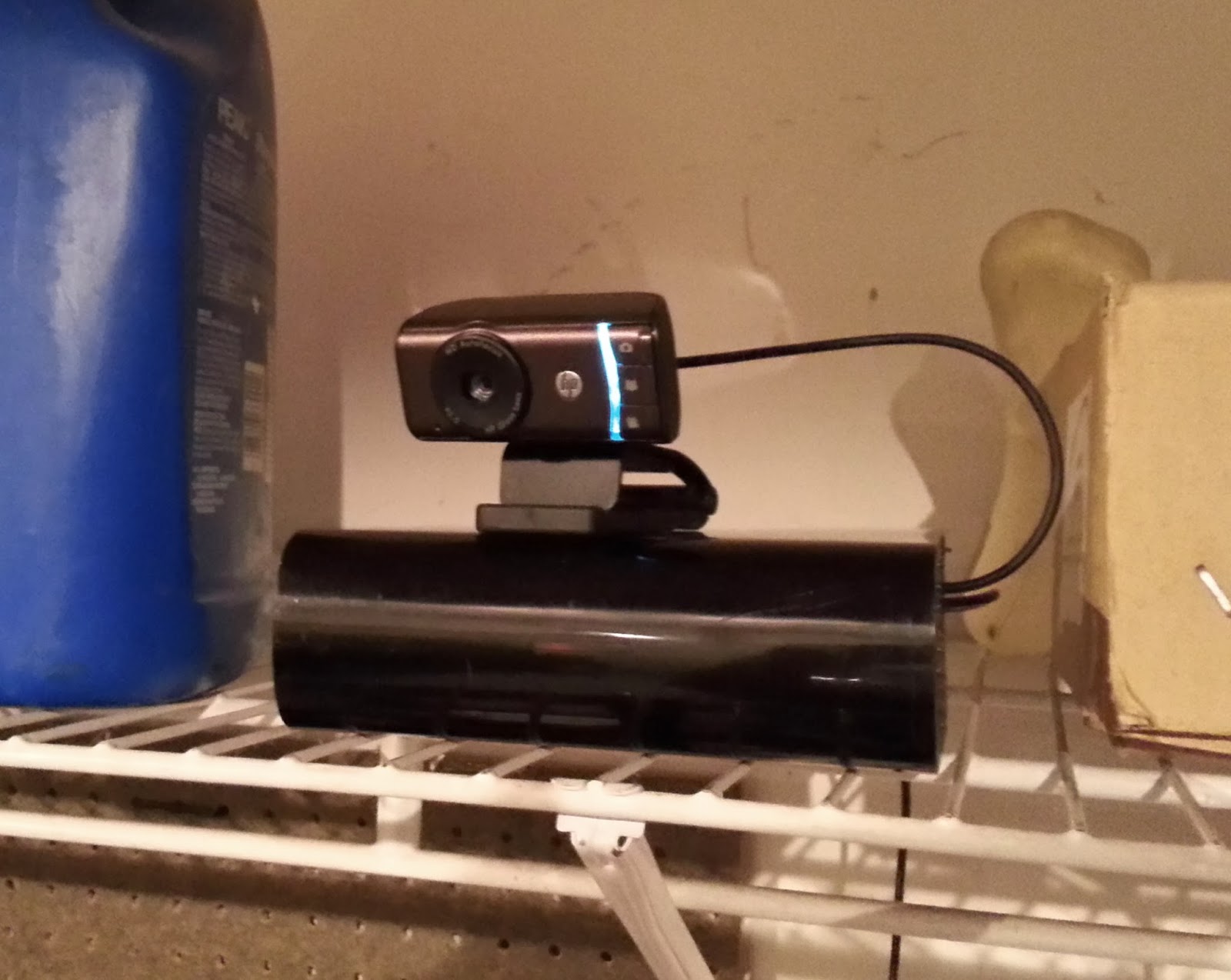
    Once the security camera was working and stable, I added back in the GPIO garage door opener remote that I hacked together. Working together, I now have a security system for the garage that can open and close the garage door from any vantage point. I deployed it up on a shelf, next to the windshield wiper fluid, where the webcam would have a nice perch.

    I whipped together a quick Python script that would briefly engage the GPIO pin on the Raspberry Pi, so now I can sit at my laptop and watch the garage door go up and down. Ultimately I will place this feature behind a web application for ease of use. The Python support for Raspberry Pi seems to be a first-class citizen, so I might use Bottle to create a minimalist webapp for exposing the webcam feed and garage door controls.


    I still need to build an enclosure... and perhaps upgrade the camera to one without an infrared filter and an array of IR LEDs. The web interface will be the next thing on the docket however.